
 Digital Detective©
What is DCode?
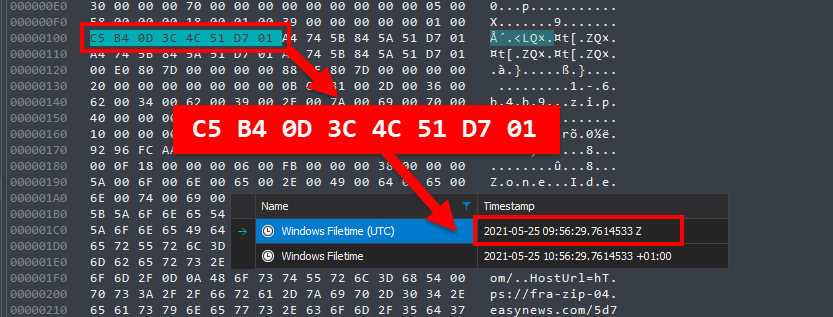
DCode™ is a FREE forensic utility for converting data found on desktop and mobile devices into human-readable timestamps. It is the most comprehensive tool available for decoding timestamps and is a must-have utility for your tool box.
The software was designed to assist forensic examiners in identifying and decoding timestamp data during a forensic investigation. It will also allow the reverse process where timestamps can be encoded into a number of different formats and data types.
Encoding and Decoding Timestamp Data
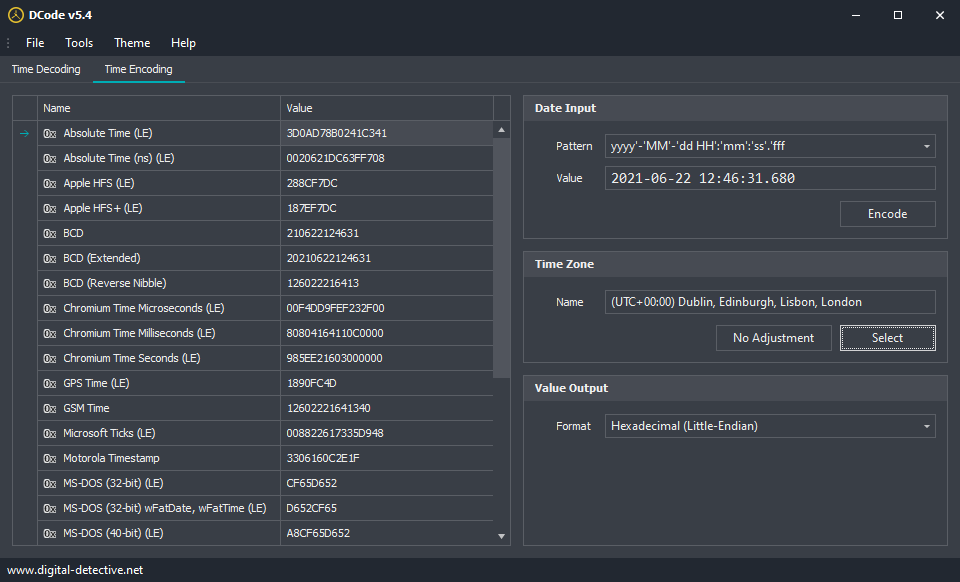
DCode™ v5 now has support for 69 different timestamp formats from various operating systems and platforms. You can decode values in the form of Little-Endian Hexadecimal, Big-Endian Hexadecimal, 64-bit Integers, 32-bit Integers, Double-precision floating-point numbers and various text formats.
Time Zone Translation
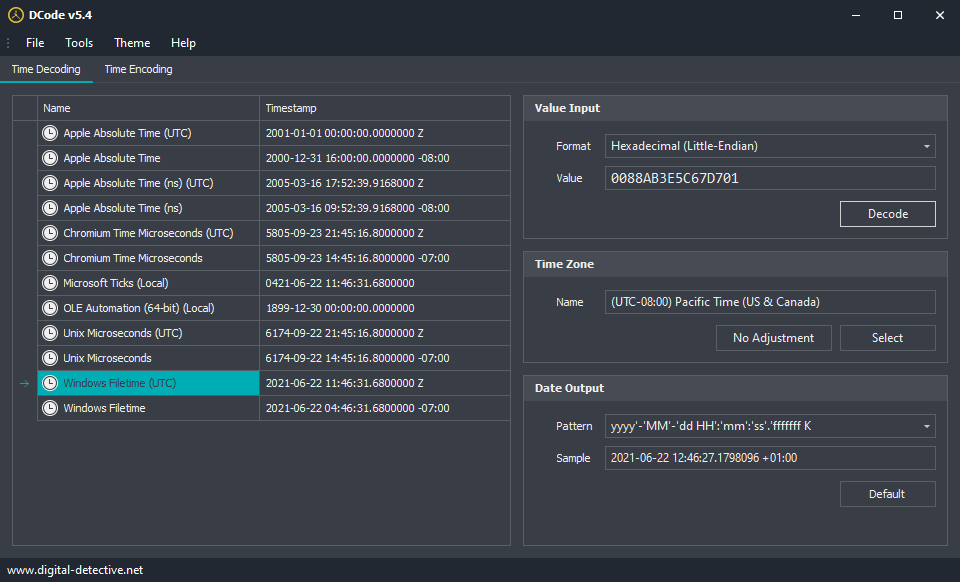
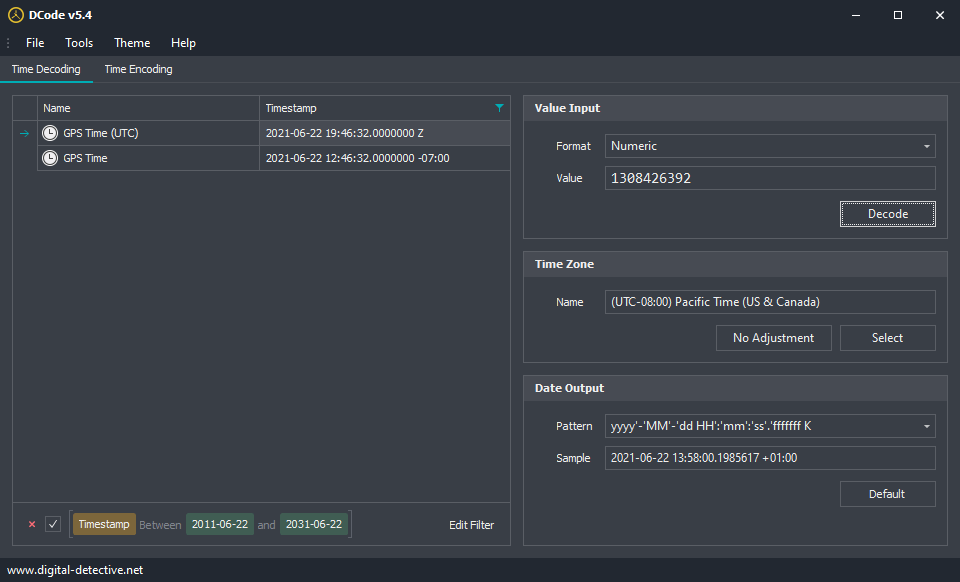
DCode™ v5 also supports time zone translation and will show UTC (Zulu) times and a converted local time based on the selected time zone. If you select the “K” identifier in the timestamp pattern, DCode™ will also display the time zone designator.
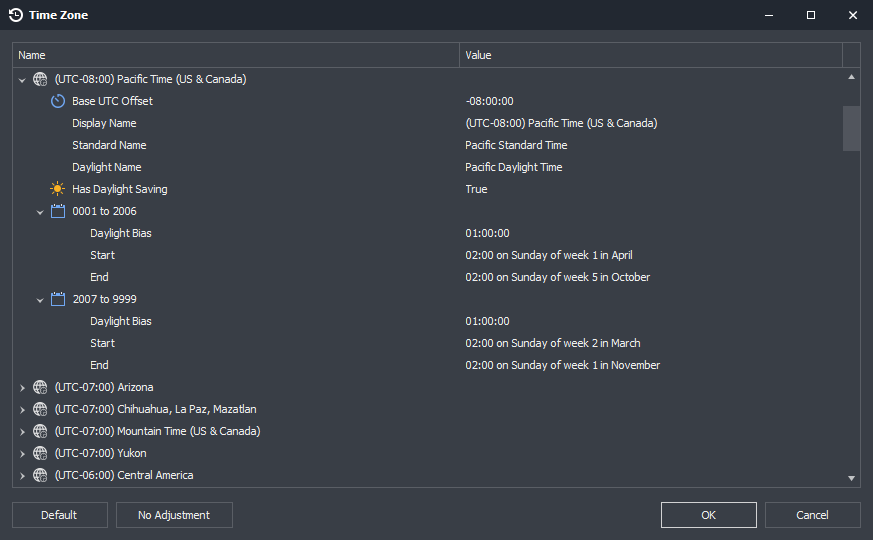
When the Select Time Zone button is clicked, the following window is displayed showing a breakdown of all the parameters for each Time Zone. You can also select the No Adjustment button. This allows each timestamp to be decoded without applying any translation.
Supported Timestamp Formats
DCode™ can convert the following timestamps into a number of different input and output formats such as Numeric (Int32, Int64, Double-precision floating-point), Hexadecimal (Little-Endian), Hexadecimal (Big-Endian) and Text.
- Apple Absolute Time (Seconds)
- Apple Absolute Time (Nanosecond)
- Apple HFS
- Apple HFS+
- Binary Coded Decimal (BCD) (2-digit Year)
- Binary Coded Decimal (BCD) Extended (4-digit Year)
- Binary Coded Decimal (BCD) Reverse Nibble
- Chromium Time (Microseconds)
- Chromium Time (Milliseconds)
- Chromium Time (Seconds)
- Gmail MIME Boundary
- Google URL EI Parameter
- GPS System Time
- GPS Time
- GSM Time
- Microsoft Ticks
- Motorola Timestamp
- Microsoft FAT MS-DOS (32-bit) Timestamp
- Microsoft FAT MS-DOS (40-bit) Timestamp
- Microsoft MS-DOS (32-bit) wFatDate, wFatTime Timestamp
- Nokia Series 30
- Nokia Series 40
- OLE Automation (64-bit Double)
- Seagate Date Code
- SYSTEMTIME Structure
- Unix Seconds
- Unix Milliseconds
- Unix Microseconds
- UUID (Guid) Timestamp
- Windows Filetime
- Windows Filetime [dwLow:dwHigh]
- Windows Filetime Mime Boundary [dwHigh.dwLow]
- Windows Filetime MSIE Cookie [dwLow,dwHigh]
Filtering Date Ranges
To quickly identify timestamp values which may be important, DCode™ allows you to set a date range which can be used as a filter your results. To configure a date range, select Tools » Options from the menu and select a From and To Date. Once the date range has been saved, you can activate the filter by selecting Tools » Filter Date Range from the menu (or click Ctrl + R). This will filter your results and will only display values where the date falls between your selected range.
Date   : 2021-07-13 17:06:10
File   : DCode-x86-EN-5.5.21194.40.exe
Size   : 30,310,032 (28.91 MB)
Build  : 5.5.21194.40
MD5    : 82ee5a26ee8a13f2f21c5c667a9e144d
SHA1   : daea9842cf88477e7ce89378e3b532efd0cb774d
SHA256 : 8e2c49ec7aa38d5940b45d5a32b8ef499a8da2011d0ef86bd952919c46a9f088
Decoding Other Timestamp Formats
Are there any other date encoding formats we could add? Have we missed any timestamp formats you decode on a regular basis and would like to see in DCode? Please let us know in the comments below. Are there any other features you would like to see? Please let us know.
 Digital Detective©
Thanks for continuing to contribute to the forensic community. I’ve been a long time user of the prior version of DCode.
I just downloaded it and installed it on my Surface Pro running W10. It launches in a rather small window so the input fields are overlapping. It does not allow me to resize the window. Are others having this issue? I tried rebooting the computer but it did not correct the issue.
Just tested on another laptop and the window size is much better. The issue seems to be when you use zoom in the display settings. The screen on the Surface Pro is smaller, but higher resolution. The recommended zoom setting is 200%. On the larger laptop the screen resolution is less, and the recommended zoom setting is 125%.
If I reduce the zoom setting on the Surface Pro, then I can see the full window properly. But then everything is much smaller due to the high resolution.
Hi Jacques
I will release and update later today that should fix the issue you are seeing.
Please try v5.1 from the link above.
Regards
Craig
Thanks Craig. Worked like a charm.
Jacques
Thank you for making such a great tool available for free!